
Wanderlog - Trip Planner App
WanderlogTravel & Local
4.73.39K Reviews
- Version
- 2.219
- Installs
- 1.00M
- Age Rating
- Everyone
Screenshots
Our Review of Wanderlog - Trip Planner App
 Analysis by Appyee
Travel planning gets messy when reservations sit in email, ideas live in notes and the route exists only in someone’s head. I like the idea of having those pieces together, but a trip planner is only useful if it makes decisions easier rather than adding another chore. Wanderlog is a free travel app from Wanderlog for turning a destination and dates into an itinerary you can shape, share and consult while away. I’d consider it most seriously for trips with several stops or people involved, where keeping everyone aligned matters as much as choosing what to do.
Your All-In-One Travel Companion
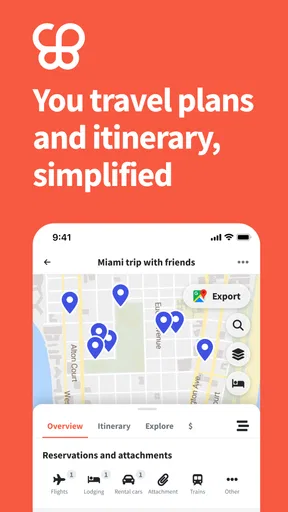
Okay, so the first thing that really caught my attention with Wanderlog was its super intuitive interface. It’s like they knew I needed a break from overly complex travel apps. As soon as you open it, you’re greeted with a clean layout that doesn’t overwhelm. You can easily start planning a new trip by entering your destination and dates. Simple, right?
Plan Every Detail
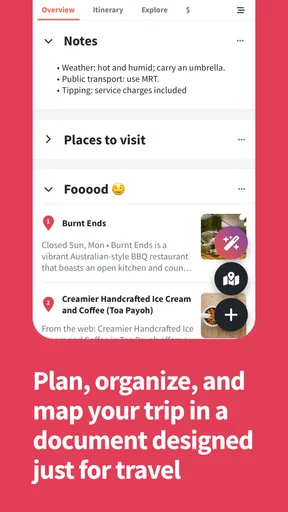
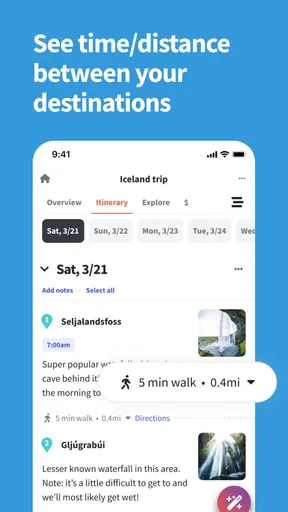
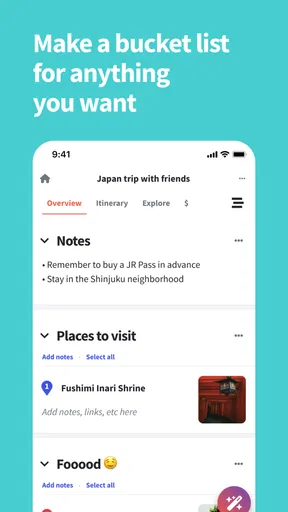
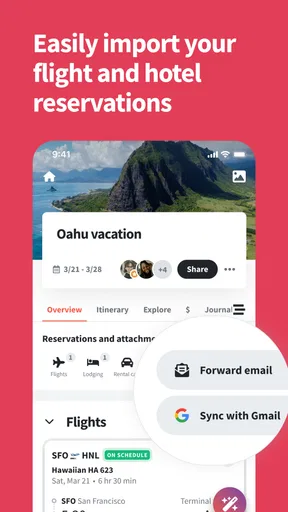
One of the standout features is how you can organize your itinerary day by day. Ever had one of those trips where you’re constantly asking, “What’s next?” With Wanderlog, you can add activities, accommodations, and even transportation details. It’s all there in one place, so you’re not scrambling through emails or notes last minute. Plus, it syncs with your calendar, which is a lifesaver!
The day-by-day format is especially handy when a trip has a fixed anchor, such as a hotel stay or a timed activity, alongside flexible ideas. I’d put the non-negotiable items in first, then add nearby options as possibilities rather than treating every saved place as a commitment. That keeps the plan useful without making the holiday feel like a checklist. It also makes the itinerary easier to scan when someone asks whether there’s room for one more stop.
A practical workflow is to plan at two levels: settle the order of days and major travel legs early, then fill in meals or casual visits closer to departure. That way, a change in one reservation does not force you to decide every detail of the week at once. The trade-off is that a detailed itinerary still needs judgment from the traveler. An organized list cannot tell you whether you have left enough time for a long transfer, a break, or an unexpectedly slow morning, so I would use it to expose the plan, not to assume the plan is realistic.
Collaborate Like a Pro
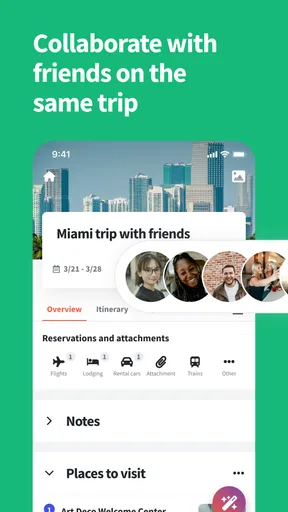
If you’re traveling with friends or family, you know the headache of trying to coordinate plans. Wanderlog lets you collaborate seamlessly. You can invite others to join your trip planning, and everyone can add their own suggestions. It’s like having a group chat, but way more organized. Trust me, this feature alone has saved me from several group trip disasters.
For a group, I’d agree on a simple rule before sharing the itinerary: suggestions are welcome, but adding an idea does not mean the group has approved it. That small distinction helps prevent a plan from filling up with competing restaurant choices and activities nobody has actually discussed. One person can gather options, while another checks timing or accommodation details, then the group can make the final calls together. The shared plan works best as a common reference rather than a substitute for conversation.
This is also where the app differs from relying on a group chat alone. Messages are good for quick opinions, but decisions can disappear under unrelated conversation; a structured trip plan gives those decisions a more visible home. On the other hand, if your companions prefer not to use a planning app or only need to settle one meal, asking them to join may be more effort than it saves. I’d use collaboration for a multi-day trip with real coordination needs, not for every casual outing.
Offline Access
Here’s a game-changer: offline access. We’ve all been there, caught without internet in a foreign country, desperately trying to remember where that hidden gem of a restaurant was located. With Wanderlog, your plans are accessible even when you’re off the grid. It’s like carrying a digital travel buddy in your pocket.
Offline availability is most useful as a backup for information you have already organized. Before leaving a hotel or a reliable connection, I’d open the itinerary and make sure the details I expect to need are present and easy to find. That is a sensible habit for a train ride, a rural drive or a day when mobile service is patchy. I would not treat offline access as a replacement for checking live travel conditions or confirming a reservation directly; those are different jobs, and a saved plan may not reflect a last-minute change.
For navigation itself, a dedicated map app may still be the better companion, especially when you need live directions or current road information. I see Wanderlog as the place to keep the trip’s shape and remember why a stop is on the plan, rather than as the only tool to rely on once you are moving. Keeping that distinction in mind makes the offline feature reassuring without expecting it to solve every connectivity problem.
Budget-Friendly Features
If you’re anything like me, you’re probably watching your wallet while planning your adventures. Wanderlog offers a nifty budget feature that keeps track of your expenses. You can set budgets for different parts of your trip and track your spending as you go. It’s a great way to avoid any nasty surprises when you get home.
The expense tool is most helpful when you decide in advance what you want to monitor. For example, a group could track shared costs separately from personal purchases, or a solo traveler could watch the main categories that tend to grow during a road trip. I would enter expenses consistently instead of trying to reconstruct them at the end; otherwise, even a neat budget view can give a misleading impression. It can support awareness, but it does not make spending decisions for you.
Cost is one area where I’d keep expectations precise. The app is free to download and use, while in-app purchases range from $1.99 to $79.99 per item. Those figures establish that optional paid items exist, but they do not tell me which specific functions are included in each purchase or whether a particular traveler will find one worthwhile. I’d start with the free experience, identify a concrete limitation in my own planning, and only then consider whether a purchase addresses it. If the free tools already keep your itinerary clear, there is no reason to pay simply because an upgrade is available.
Who Gets the Most from It
I think the strongest fit is a traveler who has several reservations, destinations or companions to coordinate. A family planning a week with different activities each day can use one itinerary as a shared reference; friends on a road trip can collect stops and keep transportation details alongside the schedule. Someone taking a short, familiar weekend away may get less from the structure, especially if a calendar reminder and a map already cover everything they need.
Consider an ordinary arrival day: you land, collect your bags, and need to remember where you are staying, what you planned nearby and which option can be moved if the journey takes longer than expected. Having the day’s plan in one place can reduce the hunt through messages and notes. I would still leave breathing room rather than booking every hour. The benefit is not squeezing in more stops; it is being able to adjust without losing track of the important details.
Compared with a general calendar, Wanderlog is more naturally organized around a trip and its sequence of places, while a calendar is often better for reminders and appointments already woven into daily life. A map is better when the immediate question is “How do I get there?” A shared document can be more flexible for long notes or unusual planning needs, but it may take more effort to keep tidy. These tools can complement one another; I would not expect a single itinerary app to replace every travel utility.
Tradeoffs and Practical Fit
The main trade-off is the work required to keep a plan useful. Adding activities, transport, accommodation and expenses means entering and maintaining information. If you prefer to make every decision on the day, a detailed organizer can feel like administration rather than freedom. I’d add only the details that solve a real problem—key logistics, agreed plans and a short list of backups—then let the rest stay spontaneous.
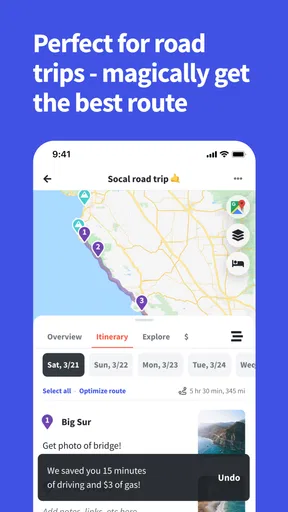
There is also a difference between collecting possibilities and having a workable schedule. A trip can look impressively full in an itinerary while being tiring or impractical in real life. Before calling a day finished, I’d check the order of stops, account for travel time outside the app if needed, and mark which items are optional. That is a useful discipline for road trips in particular, where a string of appealing places may not fit comfortably into one day.
The app is aimed at general travel planning and is rated Everyone, so it can suit a broad range of travelers. Wanderlog has a 4.8 average from around 30,000 ratings, and it has passed one million installs. I take that as evidence that many people have found the format useful, not as a guarantee that it matches every planning style. The current version is 2.190, and it requires Android 8.0 or later; those practical details matter if you are deciding whether it fits your device and routine.
User Experience and Support
Now, let’s talk about the user experience. The app is smooth and runs without a hitch. I didn’t encounter any bugs or crashes, which is always a plus. And if you ever need help, the support team is responsive and friendly. It’s clear they care about the user experience, which makes using the app a pleasure.
My overall view is that the app earns its place when a trip has enough moving parts to justify one organized home. Its strongest case is not that it can make travel effortless, but that a day-by-day plan, shared contributions, offline access and expense tracking can reduce the number of scattered sources you need to check. Those tools are more valuable when used selectively than when every thought becomes an itinerary item.
Wanderlog was released on August 21, 2019, and is developed by Wanderlog. Its free starting point makes it easy to try, while the range of in-app purchase prices means I would judge paid value against a specific need rather than assume that paying is essential. If you want a flexible trip organizer and expect to plan with other people, I’d give it a try. If your preferred style is to keep plans loose, or you mainly need live navigation, a simpler calendar or dedicated map may serve you better.
In conclusion, Wanderlog is a fantastic tool for anyone who wants to make trip planning less of a chore and more of an enjoyable experience. Whether you’re a meticulous planner or more of a spontaneous traveler, this app has got something to offer. So, if you’re gearing up for your next adventure, give Wanderlog a try. You might just find that it’s the travel companion you never knew you needed.
Ready to embark on your next journey? Don’t forget to download Wanderlog and start planning your adventure today!
Verdict
Strengths of Wanderlog - Trip Planner App
- Intuitive interface for easy navigation.
- Supports collaborative trip planning.
- Offline access to saved itineraries.
- Integrates with major travel platforms.
- Free version offers robust features.
Limitations of Wanderlog - Trip Planner App
- Limited customization for itinerary details.
- Occasional sync issues with other apps.
- Offline maps require a premium upgrade.
- Ads can be intrusive for free users.
- Limited support for lesser-known destinations.
Similar Picks in This Category
View All
Google Maps
Google LLC3.4

Google Maps Go
Google LLC4.1

Booking.com: Hotels & Travel
Booking.com Hotels & Vacation Rentals4.8

Google Earth
Google LLC3.8

Skyscanner Flights Hotels Cars
Skyscanner Ltd4.8

trivago: Compare hotel prices
trivago N.V.4.4
Frequently Asked Questions
What features does Wanderlog offer for trip planning?
Wanderlog provides a comprehensive suite of features including itinerary planning, collaboration with travel companions, and offline access to trip details. Users can add flights, accommodations, and activities, and view everything on a map. The app also allows for budget tracking and offers suggestions for attractions and dining.
Is Wanderlog available for offline use?
Yes, Wanderlog allows users to access their itineraries offline. This is especially useful when traveling to areas with limited or no internet connectivity. Users can download their trip details in advance, ensuring they have access to important information without needing an active internet connection.
Can I collaborate with others on my itinerary?
Absolutely! Wanderlog supports collaborative trip planning, allowing users to invite friends, family, or travel partners to contribute to the itinerary. This feature makes it easy to share ideas, make adjustments, and ensure everyone is on the same page before and during the trip.
How does Wanderlog handle budget tracking?
Wanderlog includes a budget tracking feature that helps users manage their travel expenses. You can input estimated costs for flights, accommodations, meals, and activities. The app then provides an overview of your spending, helping you stay within budget and make informed financial decisions throughout your trip.
Is Wanderlog free to use, and are there any premium features?
Wanderlog offers a free version with a robust set of features for planning trips. However, it also has a premium subscription that unlocks additional features such as advanced map options, custom lists, and enhanced collaboration tools. Users can choose the version that best fits their needs and budget.
